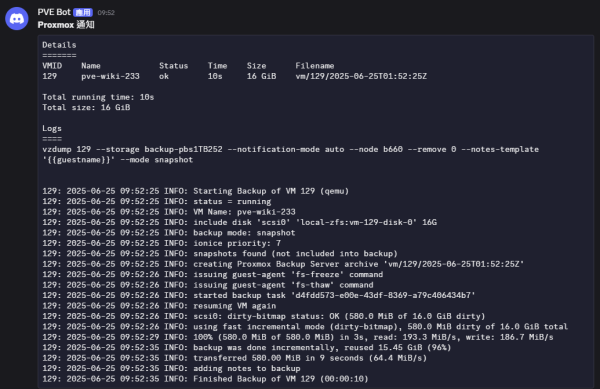
設定 Proxmox 系統通知至 Discord webhook
- 在 Discord 建立一個文字頻道 Exp. ichiayi-proxmox → 整合 → Webhook [複製 Webhook 網址]
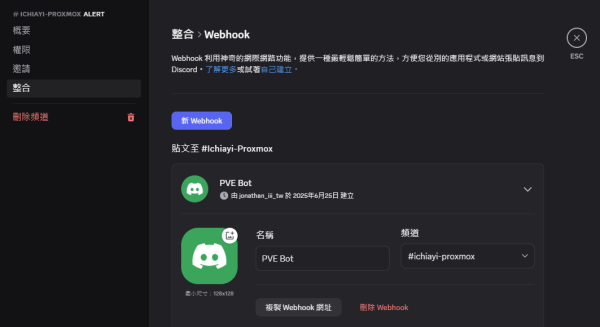
- 將複製的 Webhook 網址進行拆解 Exp. https://discord.com/api/webhooks/1387212345678901200/Ram12345vmkOpxxxxxxxxxxxxxxxxxxxxXT-Vxxxxxxxxxx_GDxxxxxxxxxxxxxxxx6D
- token - 1387212345678901200/Ram12345vmkOpxxxxxxxxxxxxxxxxxxxxXT-Vxxxxxxxxxx_GDxxxxxxxxxxxxxxxx6D
- Datacenter → Notifications → Notification Targets → [Add] → Webhook
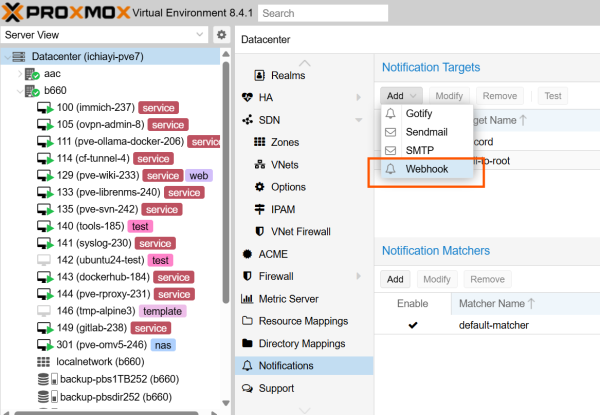
- Webhook
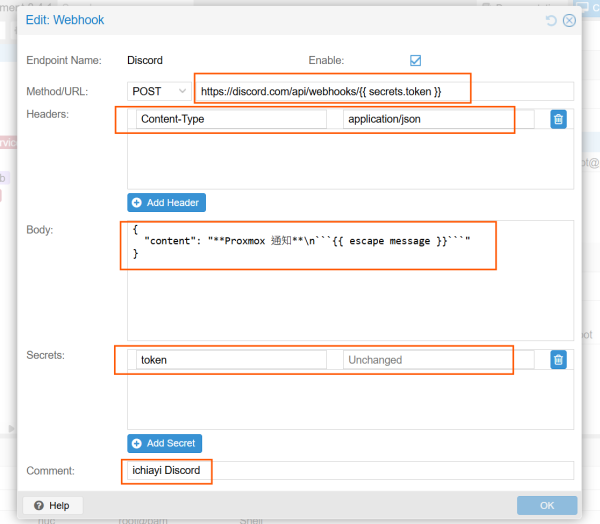
- Endpoint Name : Discord
- Method/URL : POST /
https://discord.com/api/webhooks/{{ secrets.token }} - Headers : [Add Header]
- Key :
Content-Type
- Value :
application/json
- Body :
{ "content": "**Proxmox 通知**\n```{{ escape message }}```" } - Secrets : [Add Secret]
- Key :
token
- Value :
1387212345678901200/Ram12345vmkOpxxxxxxxxxxxxxxxxxxxxXT-Vxxxxxxxxxx_GDxxxxxxxxxxxxxxxx6D
- 進行測試
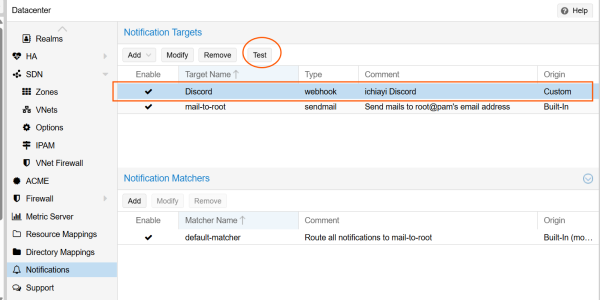
- 如果成功就會在 Discord 出現訊息

- 如果出現 Error 500 就需要檢查 Body 的內容變數是否有設定錯誤
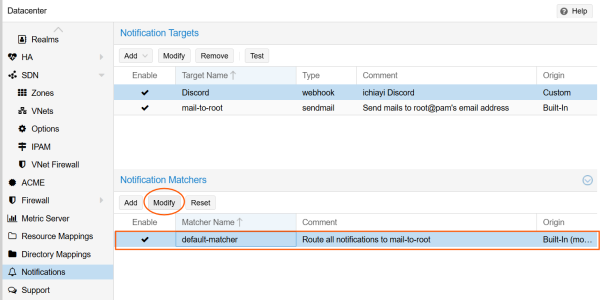
- 調整 Notification Matchers(通知規則)
- 可以直接修改default-matcher(預設規則)加入通知 Discord
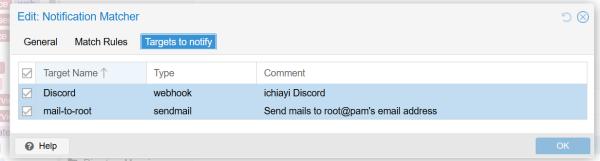
- 在 Targets to notify 勾選 Discord
- 之後如果有訊息通知 Exp. Backup 結果通知 就會在 Discord 出現訊息 Exp.